
Creating professional presentations often feels like a time sink, especially when wrestling with traditional software. The goal is to convey ideas clearly and visually, but the process can get bogged down in formatting, alignment, and asset management. For many, the ideal solution involves tools that live in the browser, offering speed and smart design assistance without the installation overhead.
This article explores three browser-based tools that aim to accelerate presentation creation. We’ll look at how each approaches template intelligence, asset integration, and collaboration, helping you identify which platform best fits your workflow and presentation needs.
Beautiful.ai: For Intelligent, Template-Driven Design
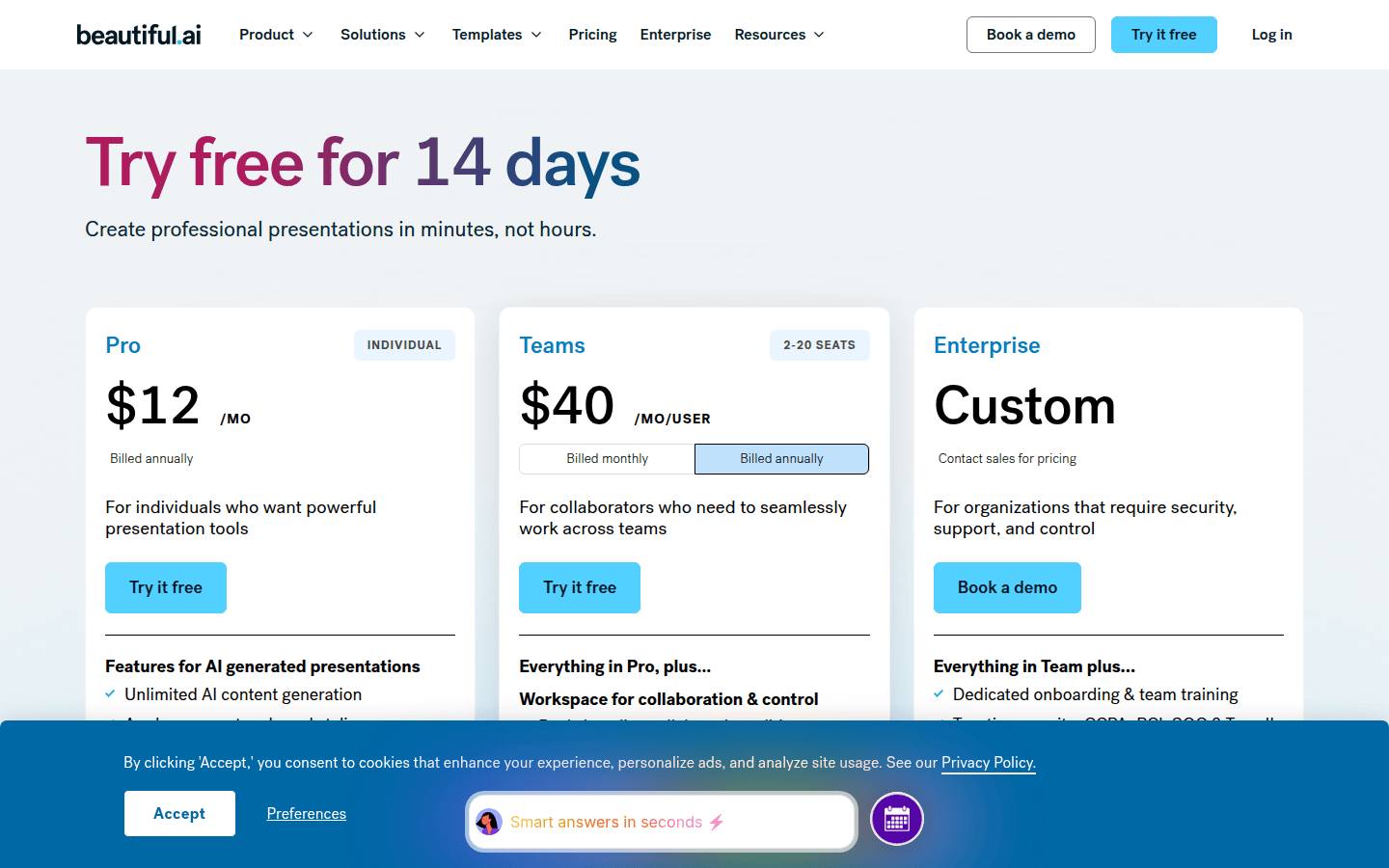
Beautiful.ai positions itself as a smart design assistant, automating many of the tedious layout decisions that consume time in traditional presentation software. Its core strength lies in its template intelligence: slides adapt as you add content, maintaining a polished appearance without manual adjustments. This approach is particularly beneficial for users who prioritize visual consistency and efficiency over granular control of every design element.
The platform offers various pricing tiers, including Pro, Team, and Enterprise options. A single presentation can also be purchased as a one-off. The Pro plan includes a 14-day free trial, then costs $12 per month when billed annually. Team plans are $40 per user per month, also billed annually. This structure suggests Beautiful.ai is designed for both individual professionals and larger organizations seeking a streamlined, on-brand presentation solution.
Who Beautiful.ai Fits Best
Beautiful.ai is ideal for professionals who need to create visually impressive presentations quickly and consistently, especially those who might not have extensive design experience. It’s well-suited for business users, consultants, and sales teams who frequently build decks and require a tool that enforces good design principles automatically. Its template-driven workflow reduces decision fatigue, allowing users to focus on content rather than layout.
Limitations and Trade-offs
While the intelligent templates are a major advantage, they also mean less freedom for highly customized layouts. Users accustomed to pixel-perfect control might find Beautiful.ai’s guardrails restrictive. The pricing structure, particularly the higher cost for monthly billing compared to annual, could also be a consideration for those needing short-term access or more flexible payment options.
Pitch: For Collaborative Team Workspaces
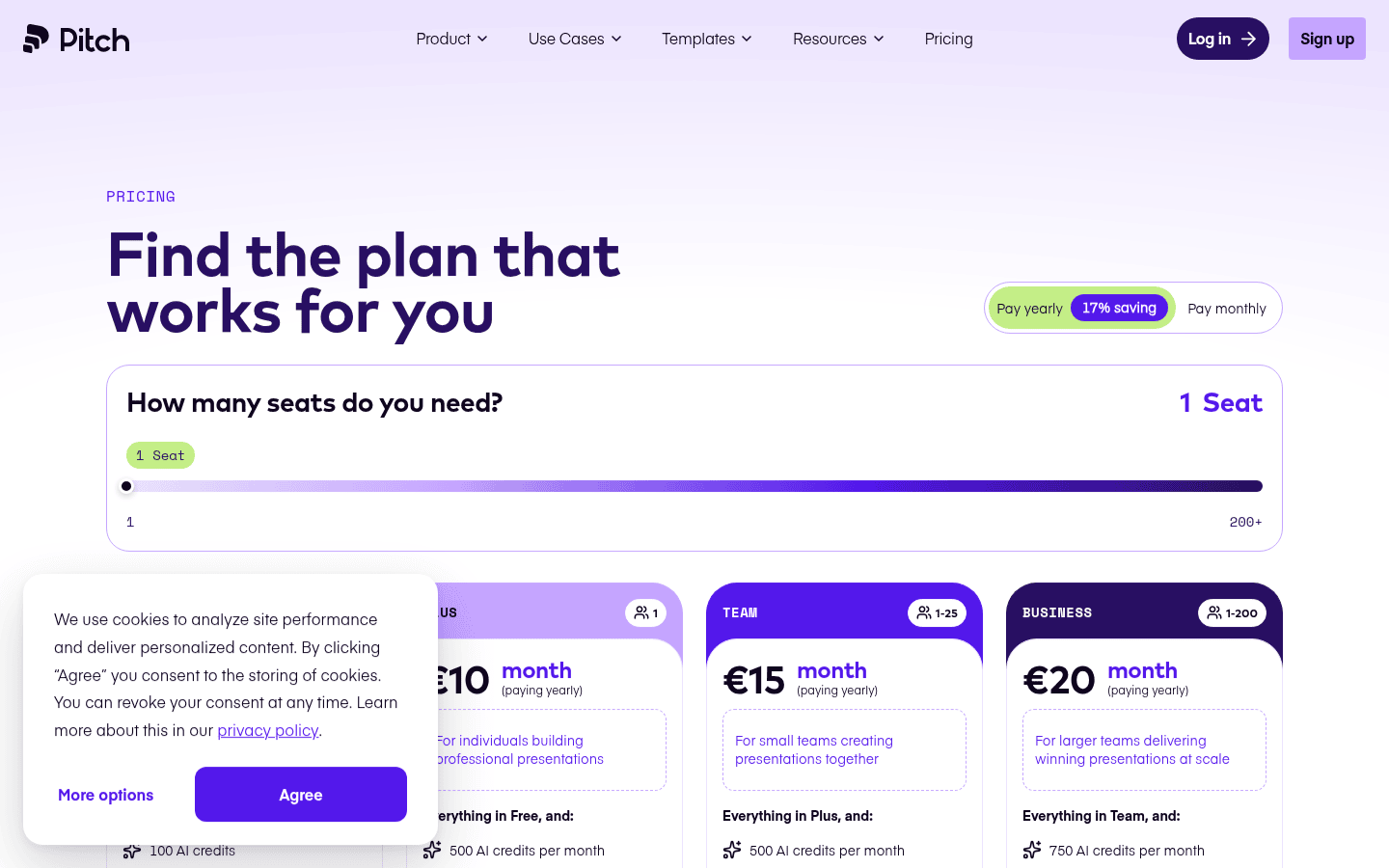
Pitch emphasizes collaboration, making it a strong contender for teams that need to work together on presentations. It offers a modern interface and features designed to facilitate real-time editing, feedback, and version control. Pitch’s approach combines design flexibility with robust team functionalities, aiming to make the entire presentation workflow more efficient for groups.
Pitch offers a Free plan that allows for unlimited presentations, making it accessible for individuals or small teams to get started without immediate financial commitment. For more advanced features and team management, paid tiers are available. These plans support both monthly and yearly billing, with annual subscriptions receiving a 17% discount. This flexibility in pricing and the availability of a comprehensive free tier make Pitch an attractive option for a wide range of users, from freelancers to growing businesses.
Who Pitch Fits Best
Pitch excels for teams that require a shared workspace for presentation creation. Marketing agencies, startups, and product teams that iterate on decks frequently will benefit from its collaborative features, including live editing, comments, and task assignments. Its balance of design tools and team-focused functionalities supports a more integrated workflow for collective projects.
Limitations and Trade-offs
While Pitch offers design flexibility, it might require a slightly steeper learning curve than more automated tools for users completely new to presentation software. The full scope of paid tier features and their specific pricing details are not fully detailed in the available information, which could require further investigation for teams considering an upgrade.
Canva: For a Full Design Suite with Presentation Capabilities
Canva is widely recognized as a versatile graphic design platform, and its presentation features are an extension of its broader ecosystem. It offers a vast library of templates, stock photos, illustrations, and design elements, making it easy to create visually rich presentations. Canva’s strength lies in its accessibility and its ability to serve as an all-in-one design tool for various visual content needs, including presentations.
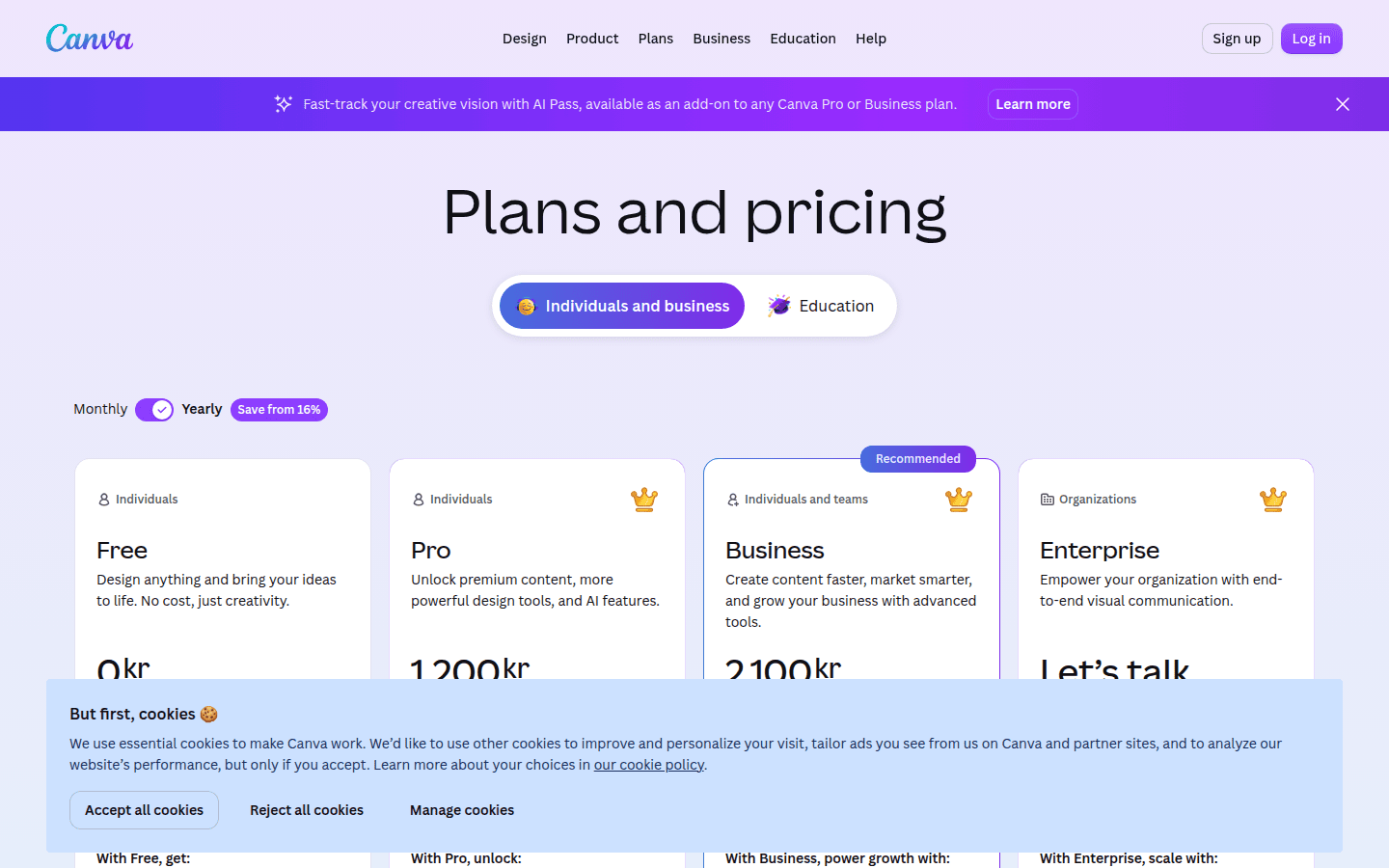
Canva provides a free plan that offers substantial functionality, making it a popular choice for individuals and small businesses. For more advanced features, brand kit management, and team collaboration, Canva offers paid tiers for individuals and teams, with plans starting at $12.99 per month. This tiered approach allows users to scale their access to features as their needs grow, from basic design tasks to comprehensive brand management across an organization.
Who Canva Fits Best
Canva is an excellent choice for individuals and teams who need a versatile design tool beyond just presentations. Small businesses, content creators, and educators who produce a variety of visual assets—from social media graphics to marketing materials and presentations—will find Canva’s integrated approach highly beneficial. Its intuitive interface makes it accessible for users with varying levels of design experience.
Limitations and Trade-offs
While Canva offers robust design capabilities, its presentation-specific features might not be as deeply integrated or intelligently automated as tools solely focused on presentations. Users looking for highly specialized presentation workflows or advanced animation controls might find it less tailored to their specific needs. The sheer volume of options can sometimes lead to decision paralysis if not approached with a clear design direction.
Making Your Choice: Template Intelligence vs. Collaboration vs. Design Breadth
When selecting a browser-based presentation tool, consider what aspect of the design process you most want to streamline. Each of these platforms offers a distinct advantage:
- For Automated Design Consistency: If your priority is to produce polished, on-brand presentations with minimal manual effort, Beautiful.ai‘s intelligent templates will likely be the most efficient. It guides you toward good design, making it harder to create an inconsistent slide.
- For Team-Oriented Workflows: If real-time collaboration, feedback, and shared workspaces are critical for your team, Pitch offers the most dedicated features to support a collective presentation creation process.
- For All-in-One Visual Content Creation: If you need a versatile tool that handles presentations alongside social media graphics, marketing materials, and other visual assets, Canva provides a broad ecosystem of design tools under one roof.
Your ideal tool will depend on whether you value automated design, seamless team collaboration, or a comprehensive design suite that extends beyond just presentations.
 Icon Template
 Photo Template
 Icon Template
 Photo Template