Bridging AI Speed with Human Judgment in Logo Design
The promise of AI in logo design is undeniable: generating dozens of concepts in minutes. However, this often results in a flood of visually interesting but strategically unrefined options. Designers face a challenge beyond just operating the tools; they must establish a workflow that leverages AI’s generative power without surrendering the nuanced decision-making essential for strong brand identity. The goal isn’t to replace human creativity, but to augment it, ensuring the final logo is both efficient to produce and conceptually sound.
Imagine a client requesting a logo that feels both modern and established. An AI tool might quickly produce numerous sleek, minimalist designs. Without a structured workflow, a designer could easily get lost in endless iterations or settle for a visually appealing but generic mark. what matters is to integrate AI at specific stages where it excels, then apply human expertise for critical evaluation, refinement, and production readiness. This approach ensures the designer maintains creative authority throughout the process.
Step 1: Define the Brand Brief and Creative Direction
Before any AI tool touches a pixel, a clear understanding of the brand’s essence is paramount. This initial phase remains entirely human-driven. Outline the business, its target audience, core values, competitive landscape, and desired brand personality. Consider the emotional response the logo should evoke and any specific visual metaphors or styles to explore. This detailed brief serves as the foundation for effective AI prompts.
For instance, instead of a vague prompt like “create a logo for a coffee shop,” a more effective prompt, derived from a solid brief, might be: “Logo for ‘The Daily Grind,’ a cozy, community-focused coffee shop. Style: rustic modern, incorporating a subtle coffee bean or steam element. Colors: warm browns, cream, and a hint of forest green.” This specificity guides the AI toward relevant visual territories, making subsequent steps far more productive and reducing the need for extensive post-generation filtering. Another useful checkpoint is Free Online AI Logo Generator – Canva.
Step 2: AI-Assisted Concept Generation and Exploration
With a clear brief in hand, AI tools become powerful ideation partners. Platforms like Meta AI and Canva allow users to input business descriptions, desired styles, and brand colors to generate initial logo concepts. Logo Diffusion offers even more flexibility, accepting text, sketches, or existing images as starting points, then providing style selection and multiple options. This stage is about breadth, not depth. For a documented checkpoint, compare this step with AI for logo design: Create a logo instantly with Meta AI.
During this stage, focus on generating a wide array of ideas rather than perfecting any single one. Experiment with different keywords, styles, and visual metaphors derived from your brief. The aim is to quickly explore diverse aesthetic directions and identify promising visual themes or motifs that resonate with the brand’s objectives. This rapid prototyping helps designers overcome initial creative blocks and broadens the visual vocabulary for the project, offering a rich pool of starting points.
Step 3: Human Selection and Refinement of Promising Concepts
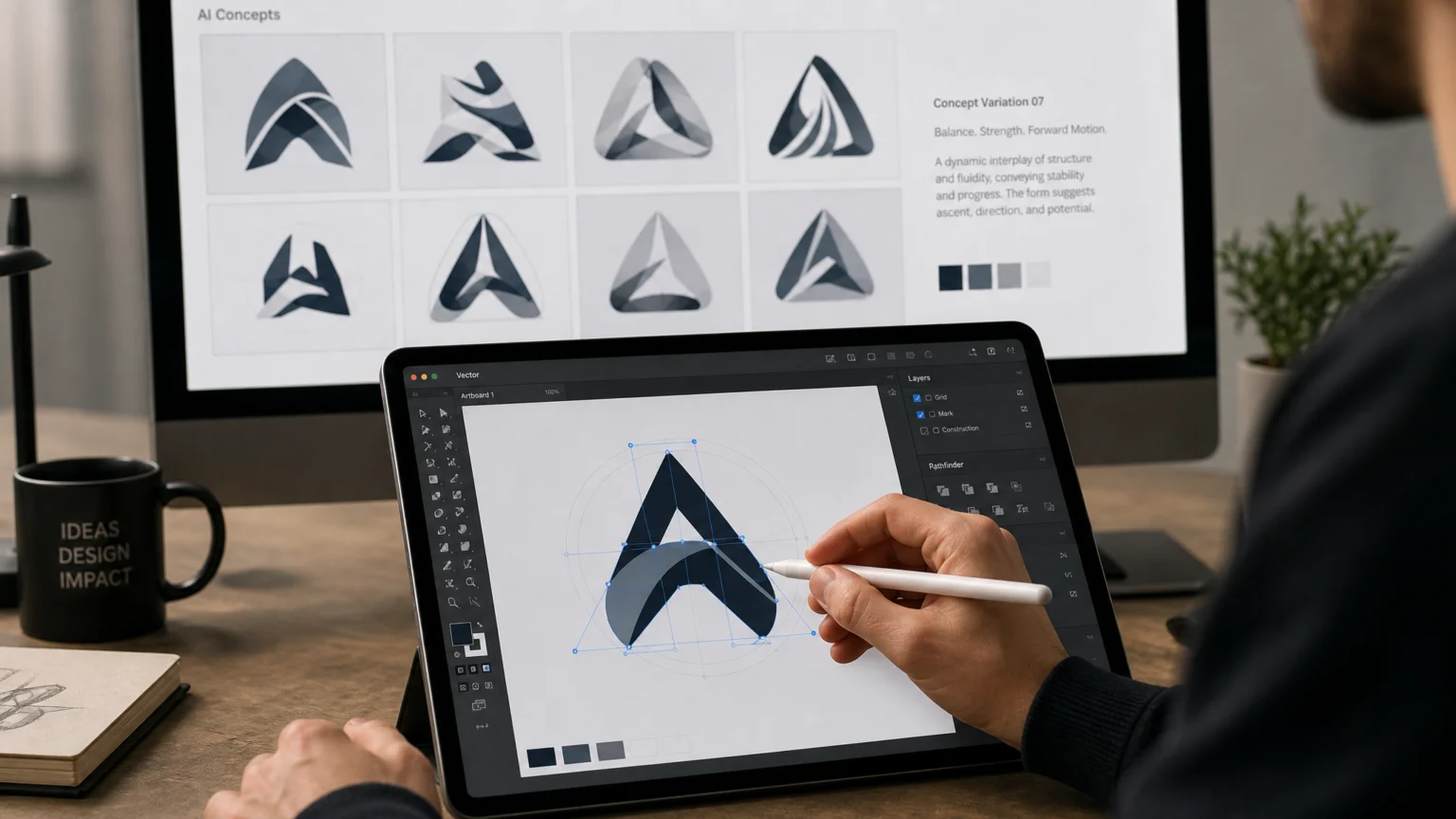
After generating a batch of AI concepts, the human designer steps back in as the primary curator. Review all generated options against the original brand brief. Discard concepts that are off-brand, generic, or visually unappealing. Select a handful of the most promising designs—perhaps 3-5—that offer distinct visual directions while still aligning with the client’s goals. This is where critical design judgment comes into play.
Evaluate legibility, scalability, and memorability. Consider how each concept might translate across different applications. For example, a concept that looks striking on screen might become illegible when reduced to an app icon. This selective process ensures that only the strongest ideas move forward, preventing time wasted on refining unsuitable AI outputs. It’s about identifying the diamonds in the rough that truly capture the brand’s essence.
Step 4: Vectorization and Path Cleanup for Production Readiness
Many AI logo generators produce raster images (pixels) or vector files that require significant cleanup. Even tools that claim to export production-ready vectors, like Logo Diffusion, may still produce paths that are overly complex, contain unnecessary anchor points, or have imperfect curves. This step is crucial for creating a professional, scalable logo that performs consistently across all media.
Import your selected AI-generated concepts into vector editing software such as Adobe Illustrator or Affinity Designer. Manually trace, simplify, and refine the paths. Ensure all lines are clean, curves are smooth, and shapes are geometrically precise. This meticulous attention to detail guarantees the logo will render perfectly at any size, from a favicon to a billboard, without pixelation or jagged edges. This is also the stage to create primary, secondary, icon, and reversed logo versions, ensuring versatility for various applications.
Step 5: Typography, Color System, and Brand Kit Development
A logo is rarely just an isolated mark; it’s part of a larger visual system. Once the logomark is refined, integrate it with carefully chosen typography and a cohesive color palette. While AI tools might suggest typefaces, it’s essential to verify their licensing and suitability. If an AI suggests a proprietary font, substitute it with a legally licensed alternative that maintains the desired aesthetic and ensures compliance.
Develop a full brand kit that includes primary and secondary color palettes (with CMYK, RGB, and Hex values), font pairings for headlines and body text, and guidelines for logo usage. This comprehensive approach ensures consistency across all brand touchpoints, from digital to print. A well-defined brand kit, built around a strong logo, provides clear visual instructions for future applications, empowering consistent brand representation.
Step 6: Final Review, Acceptance Criteria, and Trademark Checks
Before delivering the final logo, conduct a thorough review against established acceptance criteria. This includes checking legibility at small sizes, ensuring sufficient color contrast, confirming vector cleanliness, and assessing trademark conflict risk. A logo must not only look good but also function effectively and legally. This final checkpoint protects both the client and the integrity of the design work.
Test the logo across various mockups: a website header, a business card, a social media profile picture, and even a physical product. This helps visualize its real-world performance and identify any unforeseen issues. Finally, advise clients on the importance of trademark searches to ensure the unique identity of their new mark. This proactive step can prevent costly legal disputes down the line and solidify the brand’s unique position.
Maintaining Creative Authority in an AI-Augmented Workflow
Integrating AI into logo design is about enhancing efficiency, not ceding creative authority. By structuring the process into distinct human-led and AI-assisted stages, designers can harness the speed of generative tools while retaining full control over conceptual development, aesthetic refinement, and production quality. This balanced approach ensures the final logo benefits from both technological advancement and the irreplaceable touch of human design expertise. The designer remains the strategic guide, using AI as a powerful assistant to bring their vision to life.
Consider the long-term impact of a logo. A mark generated purely by AI, without human intervention, risks being generic or lacking the subtle nuances that connect with an audience. A human designer brings empathy, cultural understanding, and strategic foresight—qualities AI cannot replicate. For example, a designer might recognize that a specific symbol, while visually appealing, carries an unintended negative connotation in a particular market. AI would likely miss this critical detail.
Furthermore, the iterative process of design, where concepts evolve through feedback and refinement, is inherently human. While AI can generate variations, the critical judgment to select the best variation, and to articulate why it’s the best, rests with the designer. This workflow empowers designers to leverage AI’s speed for exploration, freeing up their time for the higher-level strategic and creative decisions that truly define a successful brand identity. It’s about working smarter, not just faster, to deliver logos that are not only beautiful but also meaningful and enduring.
 Icon Template
 Logo Template
 Icon Template
 Photo Template