
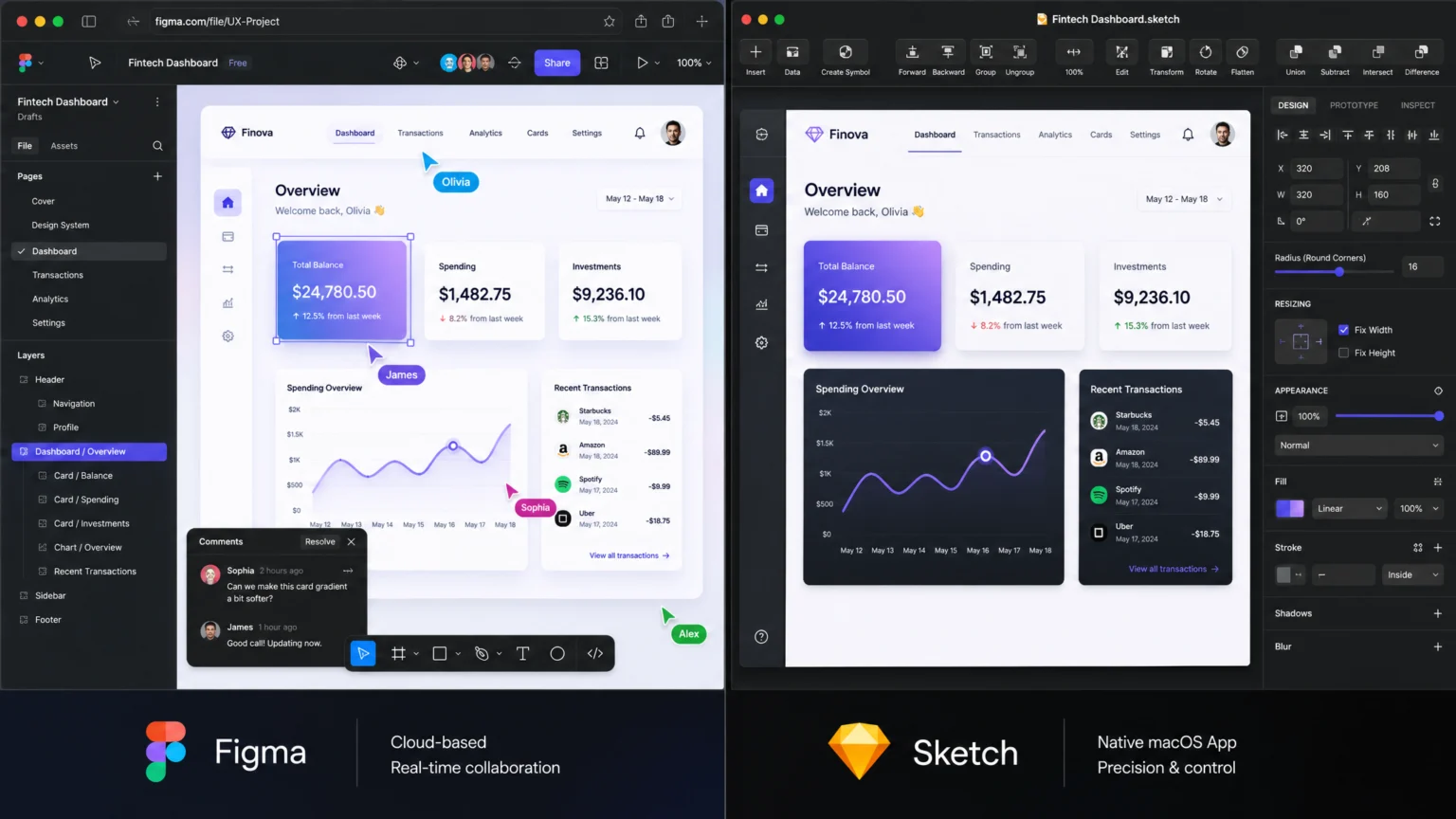
When Collaboration Drives Tool Selection
Imagine a design team scattered across time zones, needing to refine a critical user interface before a looming deadline. One designer prefers the tactile responsiveness of a native application, while another relies on a browser for quick edits during a client call. This common scenario highlights how the choice between UI design tools like Figma and Sketch isn’t merely about feature lists; it’s about aligning a tool’s fundamental architecture with a team’s operational rhythm and geographic distribution. The friction of incompatible workflows can slow progress, while a well-matched tool can accelerate iterations and foster seamless communication.
The core decision often boils down to whether a team prioritizes cloud-native fluidity or desktop-native control. A startup with a lean, remote team might find Figma’s real-time co-editing and cross-platform access indispensable. Conversely, a well-established agency with a Mac-centric design department might value Sketch’s robust offline capabilities and deep integration with the Apple ecosystem. Understanding these foundational differences is key to selecting a tool that enhances, rather than hinders, a team’s creative output.
Collaboration: Real-time Co-editing vs. Versioned Sync
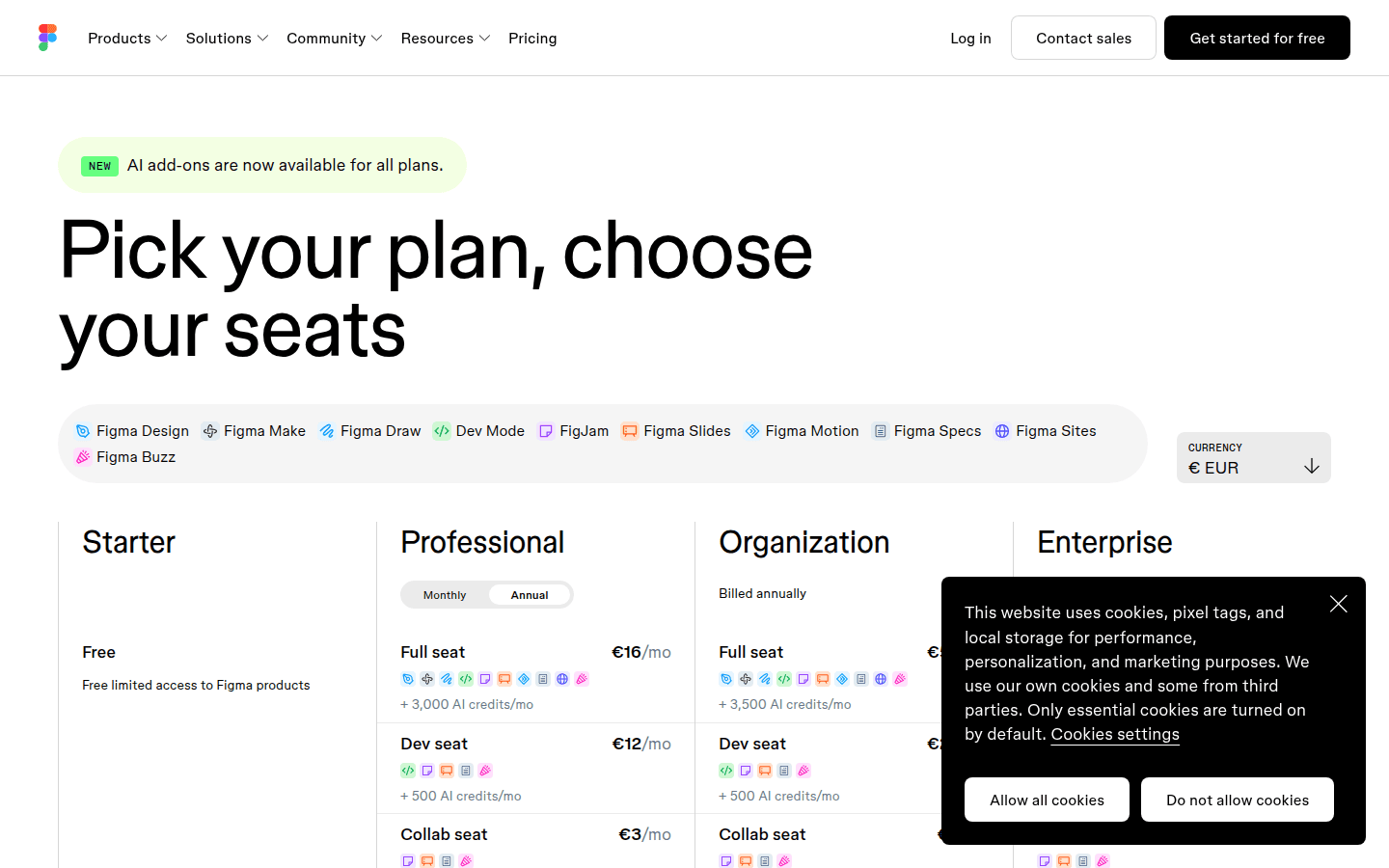
Effective collaboration is a cornerstone of modern UI design, directly influencing team speed and consistency. Figma excels with its real-time, browser-based co-editing. Multiple team members can work on the same file simultaneously, observing changes as they happen. This immediate feedback loop streamlines design reviews and accelerates iterations, particularly for distributed teams. Figma offers various seat types, including Full, Dev, and Collab, each with different editing permissions and file access limits. This allows for granular control over who can do what within a project. For example, a Collab seat permits unlimited viewers and limited co-editing across up to three files, ideal for stakeholders providing feedback without full design access. For a documented checkpoint, compare this step with Figma Pricing Plans.
Sketch, as a native Mac application, approaches collaboration differently. While it integrates with cloud services for file sharing and versioning, its primary editing experience is desktop-based. Designers typically work on local files and then upload changes to a shared cloud space. This model suits designers who prefer working offline or need the performance benefits of a native application. However, it requires a more deliberate process for syncing changes and managing conflicts, often relying on external version control systems or careful communication to avoid overwriting work. For teams prioritizing a single source of truth that updates instantly, Figma’s approach offers a distinct advantage.
Consider a design system requiring a minor button style update. In Figma, a designer makes the change, and all linked instances across multiple files update in real-time for everyone. With Sketch, the designer updates the symbol locally, pushes the change to a cloud library, and other designers then pull that update into their files. The immediate visual feedback of Figma can prevent misinterpretations and accelerate adoption of changes across a large project.
Figma’s pricing page details the permissions for Full, Dev, and Collab seats, highlighting their approach to team access.
Prototyping and Developer Handoff
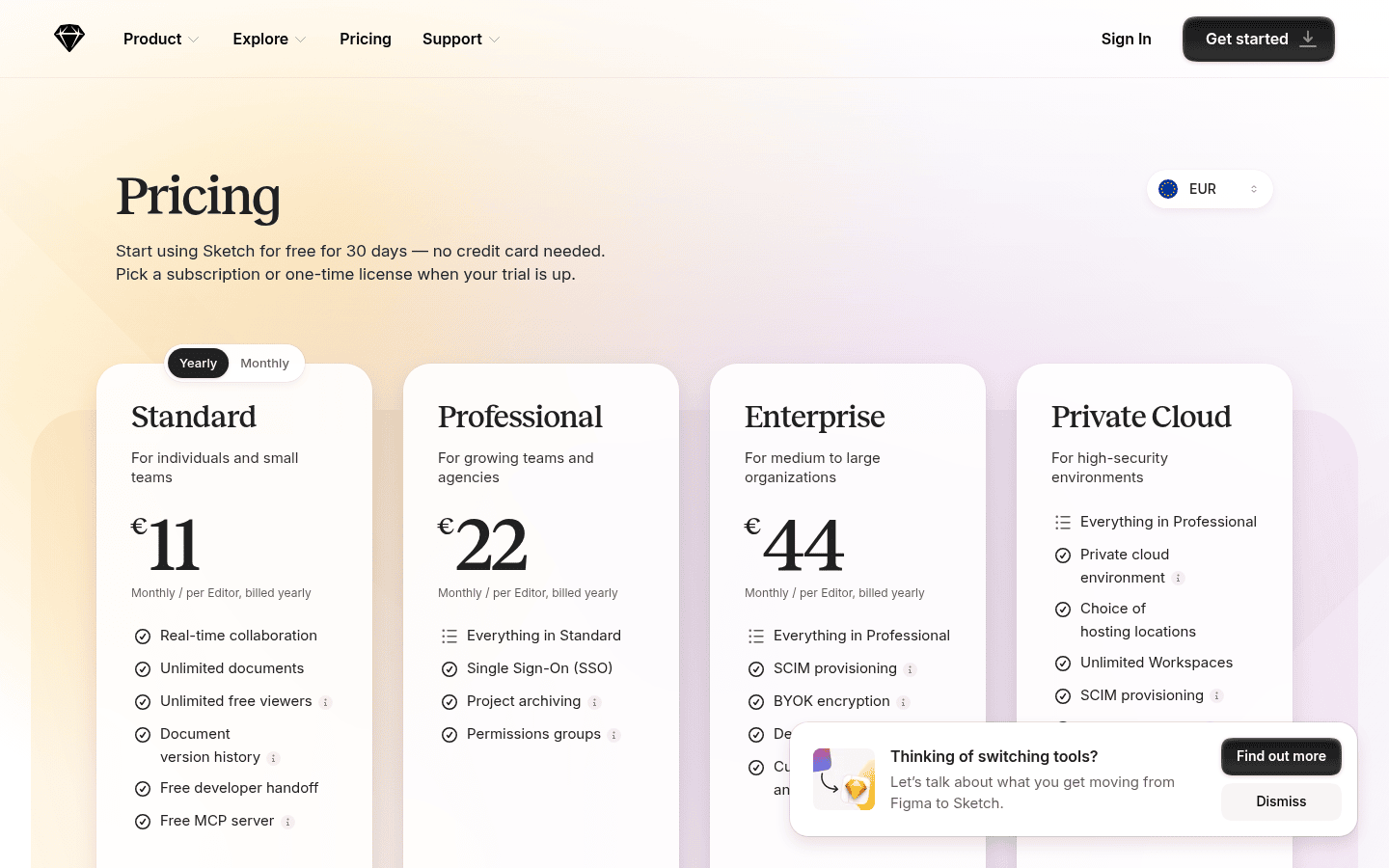
Bringing static designs to life through interactive prototypes is essential for testing user flows and communicating design intent. Both Figma and Sketch offer robust prototyping features, though their integration and flexibility vary. Figma includes comprehensive prototyping capabilities across all its plans at no additional cost. Designers create interactive flows directly within their design files, adding hotspots, transitions, and animations to simulate user experiences. This tight integration means no need to export designs to a separate prototyping tool, simplifying the workflow from design to interactive mockups. The ability to share a live prototype link for immediate feedback further enhances this streamlined process. Another useful checkpoint is Compare Figma plans and features.
Sketch also provides integrated prototyping features, allowing designers to link artboards and define interactions. While powerful, some advanced animation or complex logic might require plugins or exporting to a dedicated prototyping tool for more intricate user journeys. For teams relying heavily on highly detailed micro-interactions or conditional logic in their prototypes, evaluating the native capabilities against their specific needs is important. Both tools offer developer handoff features, generating CSS snippets and design specifications, but Figma’s cloud-native environment often makes sharing and inspecting these assets more immediate for developers. This can significantly reduce friction in the handoff process, ensuring developers have instant access to the latest design specifications.
Extending Functionality with Plugins
The extensibility of a UI design tool through plugins or integrations can significantly enhance its utility, allowing designers to automate tasks, connect with other services, and access specialized functionalities. Figma boasts a vast and active plugin ecosystem, with a wide array of tools available directly within the application. These plugins range from content generation and accessibility checkers to advanced layout tools and integrations with project management software. Because Figma is browser-based, plugins are often installed and managed with ease, accessible to all team members using the same file. this helps consistency in tool functionality across a collaborative project.
Sketch also has a rich history of community-developed plugins, which have long been a key differentiator for the platform. Designers can find plugins for everything from data population to code generation and animation. However, since Sketch is a native application, plugin installation and management can sometimes require more manual effort. Compatibility with specific Sketch versions can also be a consideration. For teams that depend on highly specialized workflows or integrations, assessing the availability and stability of crucial plugins in both ecosystems is a critical step. For instance, a team needing to integrate directly with a specific code repository might find one tool’s plugin library more mature for their needs, impacting their overall workflow efficiency.
Pricing Models: Subscription vs. Perpetual Licensing
The financial commitment for design tools can vary significantly, impacting budget allocation for individuals and organizations alike. Figma operates on a subscription-based model with per-editor billing. Its pricing plans, such as the Professional tier, start at approximately $12 per editor per month when billed annually, with Organization plans available for larger enterprises. Figma also offers a free starter plan, which allows users to work on a limited number of files, making it accessible for individuals or small projects to get started without immediate investment. This tiered approach allows teams to scale their investment as their needs grow.
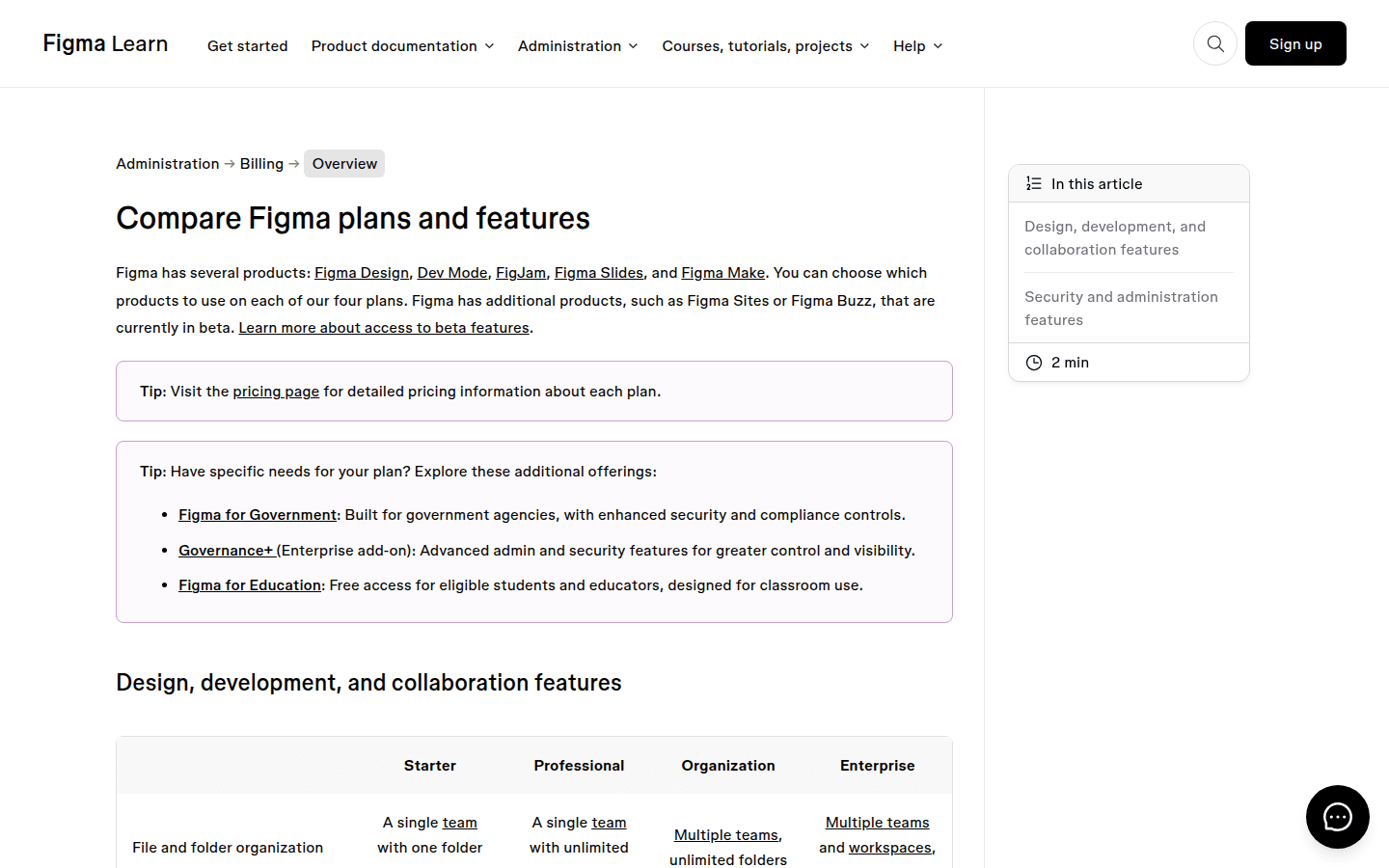
Sketch’s pricing page outlines its perpetual license and various subscription tiers, catering to different user preferences.
Sketch provides a more flexible pricing structure, including both subscription plans and a perpetual license option for Mac users. A standard subscription plan costs around $9 per editor per month, while a professional plan is about $20 per editor per month. Uniquely, Sketch offers a one-time purchase option for a perpetual license at approximately $99, which grants ownership of a specific version of the software for Mac. This can be appealing for designers who prefer a one-time investment and are comfortable with manual updates for new features. For teams, Sketch’s subscription tiers (Standard, Professional, Enterprise) are also billed per editor, aligning with common software-as-a-service models. The choice often comes down to whether a team prefers predictable monthly costs with continuous updates or a one-time purchase with more control over upgrade cycles, impacting long-term budget planning.
Platform Compatibility: OS Support and Offline Use
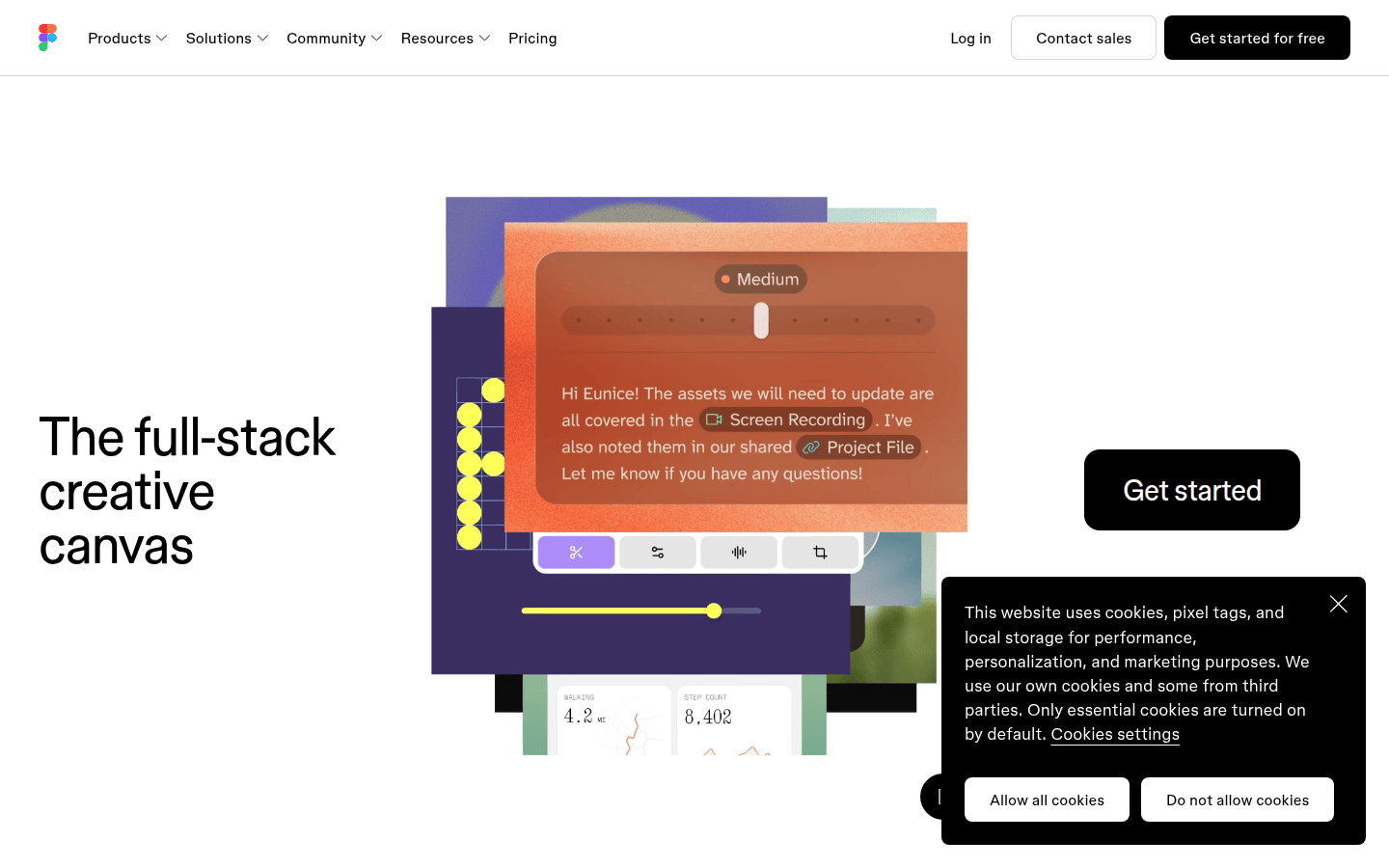
The operating system and internet connectivity requirements of a design tool can dictate its suitability for diverse teams and working environments. Figma is a browser-based application, making it inherently cross-platform. It runs seamlessly on Windows, macOS, Linux, and ChromeOS, requiring only a web browser and an internet connection. This universal accessibility is a major advantage for teams with mixed operating systems or those who frequently work from different devices. While Figma does offer a desktop application, it primarily functions as a wrapper for the web experience, maintaining the cloud-first approach. The reliance on an internet connection means that offline work is limited, though some caching features can allow for temporary access to files, offering a partial solution for intermittent connectivity.
Sketch is exclusively a native application for macOS. This platform specificity means that designers must use a Mac computer to run the software. While this can be a limitation for Windows or Linux users, it allows Sketch to leverage macOS system resources and optimizations, often resulting in a highly performant and responsive user experience. Its native nature ensures robust offline capabilities, allowing designers to work on projects without an internet connection. For Mac-only design studios or individuals who prioritize offline productivity and deep integration with the Apple ecosystem, Sketch remains a strong contender. However, for teams that need to collaborate with non-Mac users or require flexible access from any device, Figma’s cross-platform nature is a distinct benefit, enabling broader team participation.
Making the Right Choice for Your Team’s Workflow
The decision between Figma and Sketch ultimately depends on your team’s specific priorities and workflow dynamics. If real-time, cross-platform collaboration, and a cloud-first approach are paramount, Figma offers a robust solution with its integrated prototyping and extensive plugin ecosystem. Its seat-based pricing model and free tier make it accessible for various team sizes and budgets. For example, a startup with remote designers and frequent stakeholder reviews would likely benefit from Figma’s instant updates and shared project visibility, accelerating their design cycles.
Conversely, if your team is Mac-centric, values robust offline capabilities, and prefers a native application experience, Sketch remains a powerful choice. Its perpetual license option provides financial flexibility, and its mature plugin community supports diverse design workflows. An established design agency with a consistent Mac hardware setup and a preference for local file management might find Sketch’s model more aligned with their operational needs. Evaluate which tool’s core philosophy—cloud-native fluidity or desktop-native control—best supports your team’s current and future design aspirations. Consider a trial period for both to see how they integrate with your actual projects and team communication patterns before committing to a long-term solution.
 Photo Template
 Icon Template
 Photo Template
 Photo Template