Understanding AI Background Removal Quality

AI background removal tools promise quick, automatic cutouts, but their real-world performance on complex edges can vary significantly. For designers working with images that contain fine details, such as hair, fur, or intricate patterns, a clean edge is crucial to avoid an artificial, ‘cut-and-paste’ look. The challenge lies in how these algorithms differentiate between the foreground subject and the background, particularly when colors or textures are similar, or when the edges are soft and irregular.
This comparison focuses on how three tools—remove.bg, Adobe Express, and Canva—approach these difficult edges. We examine their stated capabilities for handling detail, transparency, and the potential for manual refinement, to help you choose the right tool for your specific image editing needs.
remove.bg: Speed and Bulk Processing
remove.bg positions itself as a high-quality background remover designed for quick and automatic cutouts. Its primary appeal lies in its efficiency, particularly for users needing to process multiple images.
Best for: Fast automatic cutouts and bulk desktop workflows
remove.bg offers a desktop application for Windows, Mac, and Linux, which supports bulk background removal. This feature allows users to process many images simultaneously, potentially saving significant time for projects with large volumes of assets. The service emphasizes speed, claiming to remove backgrounds in seconds.
However, the official documentation does not provide specific benchmarks for how well it handles intricate details like individual strands of hair or fine fur. While it states it’s a “high-quality” remover, the specifics of its edge-detection algorithms for complex subjects are not detailed. Users prioritizing speed and bulk processing for images where absolute pixel-perfect edge quality on challenging elements is not the top concern might find remove.bg a suitable option.
Adobe Express: Automatic Removal with Refinement Potential
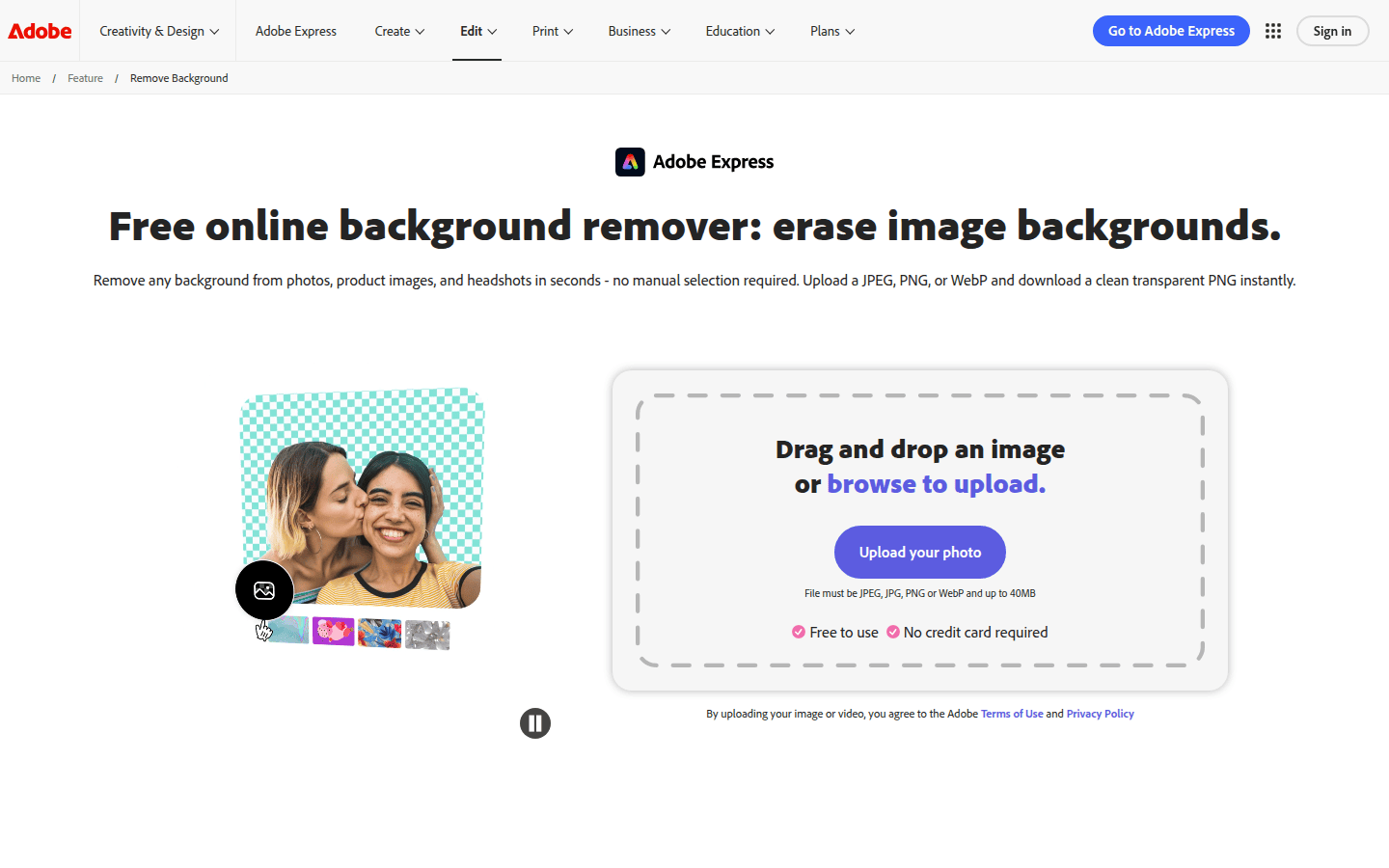
Adobe Express provides an automatic background removal feature that integrates into its broader editing environment. This tool is designed for users who want a quick solution but also value the ability to make further adjustments within the same platform.
Best for: One-click removal with transparent PNG export and editor refinement
The background removal in Adobe Express is automatic, aiming to simplify the process for all users. After removal, images can be downloaded as transparent PNGs, which is a standard requirement for compositing and graphic design. The platform also allows for subsequent editing, suggesting that users can refine the results after the initial automatic cutout.
While Adobe Express emphasizes automatic processing and the ability to restore or remove parts of the background, its official pages do not quantify its performance on highly detailed edges like hair or fur. This means that while it offers a convenient workflow, users dealing with extremely challenging subjects might need to experiment to see if the automatic output meets their specific quality standards, or if the available refinement tools are sufficient for their needs.
Canva: Integrated Design Workflow
Canva’s BG Remover is presented as an integral part of its comprehensive design platform. It’s designed for users who are already working within Canva and need to remove backgrounds without leaving their project.
Best for: Editors who want background removal inside a broader design workflow
Canva’s BG Remover is available under its ‘Tools’ options and processes photos automatically. This integration means that users can remove backgrounds directly within their design projects, whether they are working on social media graphics, presentations, or other visual content. The tool is described as removing backgrounds in seconds, contributing to a fluid design workflow.
Similar to the other tools, Canva’s official descriptions do not provide specific benchmarks for edge quality on complex subjects like hair or fur. The focus is on the convenience of having the feature within the editor and its speed. Users who primarily work within Canva and need a quick, integrated solution for background removal will find this tool beneficial. However, for highly critical applications where precise edge detection on challenging elements is paramount, users may need to evaluate the results carefully.
Choosing the Right AI Background Remover for Complex Edges

When evaluating AI background removers, especially for images with complex edges, consider the following trade-offs:
Hair/Fur Handling
The ability to accurately distinguish individual strands of hair or fine fur from the background is a key indicator of an AI background remover’s sophistication. Tools that excel here typically employ more advanced algorithms that can handle subtle variations in color and texture. While all three services claim automatic removal, their official documentation does not detail specific performance metrics for these challenging elements. Users should test their specific image types to assess the actual quality of the cutout on fine details.
Transparency Artifacts
A high-quality background removal should result in a clean, transparent background without residual halos, jagged edges, or color fringing around the subject. Adobe Express explicitly mentions transparent PNG download, which is the standard format for preserving transparency. The other services imply transparent output through their function, but verifying the cleanliness of the edges, especially with semi-transparent elements, is important.
Manual Refinement
Automatic tools are convenient, but complex images often benefit from manual adjustments. Adobe Express suggests the ability to restore or remove parts of the background, indicating some level of user control post-automatic removal. This can be crucial for correcting minor imperfections that AI might miss, particularly around intricate edges. remove.bg’s official pages do not confirm manual refinement tools on its homepage, and Canva integrates into a broader editor, which may offer general editing capabilities but not specific background refinement tools.
Batch Processing
For workflows involving many images, batch processing can be a significant time-saver. remove.bg explicitly offers bulk background removal through its desktop application. Neither Adobe Express nor Canva’s official feature pages mention batch processing capabilities, suggesting they are primarily designed for single-image operations within their respective web-based editors.
If you regularly process large volumes of images, remove.bg’s desktop app might be more efficient. For occasional, single-image edits where integration into a broader design project is key, Adobe Express or Canva could be more suitable.
Output Formats
The ability to export in standard formats like transparent PNG is essential for most design workflows. Adobe Express confirms transparent PNG download. While the other services implicitly support transparent output, it’s always good practice to confirm the exact output options and quality, especially concerning how transparency is handled at the edges.
Making Your Decision
Choosing the best AI background remover for complex edges depends on your specific workflow and quality requirements. If your priority is fast, bulk processing for a high volume of images, and you can tolerate minor imperfections on extremely complex edges, remove.bg offers a strong solution, especially with its desktop application. For those who need an automatic solution with the option to refine within a broader creative suite, Adobe Express provides a balanced approach. If you are already deeply embedded in a design ecosystem and need background removal as a seamless part of your creative process, Canva’s BG Remover integrates directly into its platform.
Ultimately, for images with truly challenging edges like fine hair or fur, direct testing with your specific assets remains the most reliable way to assess which tool delivers the cleanest, most accurate results for your professional needs. The marketing claims of “high-quality” or “automatic” removal provide a starting point, but the nuances of AI performance on complex visual data often require hands-on evaluation.
 Photo Template
 Logo Template
 Photo Template
 Photo Template