Why do brand patterns tile incorrectly?
Imagine a brand’s packaging, website background, or textile print. When the pattern is flawless, it creates a continuous visual texture, reinforcing identity without interruption. Yet, a common frustration for designers is the tell-tale seam or alignment jump that breaks this illusion. Instead of a flowing, integrated design, the pattern reveals its boundaries, undermining the intended visual consistency. This isn’t merely an aesthetic flaw; it disrupts the brand’s perceived professionalism and attention to detail. The problem often lies in precise mathematical miscalculations or overlooked software settings, not artistic vision.
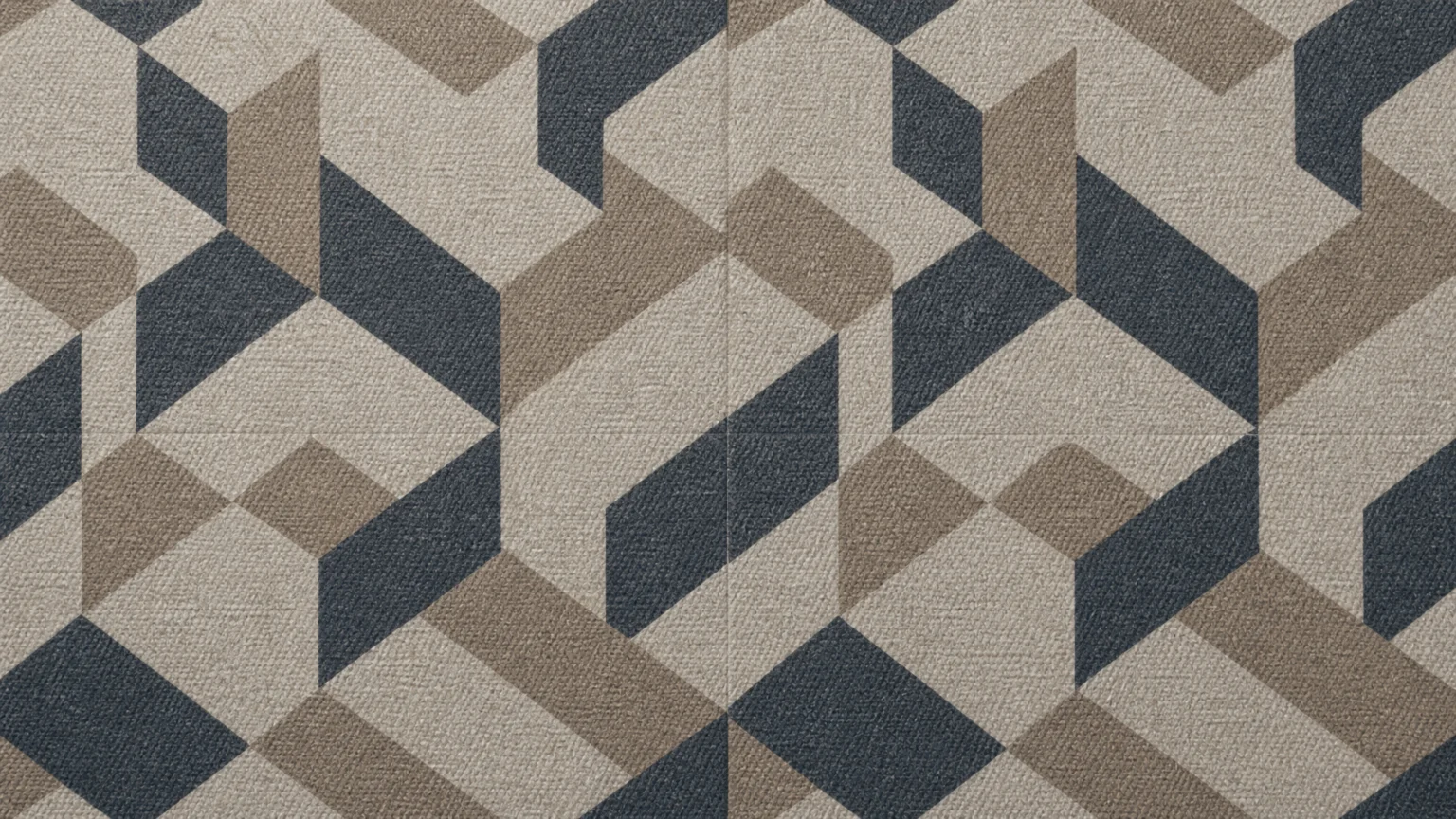
Consider a brand using a subtle geometric pattern for its packaging. If the pattern tiles incorrectly, a jarring line appears where one repeat ends and the next begins. This instantly cheapens the product’s appearance. Similarly, a digital background for a website might show a faint, but noticeable, grid of repeating elements if the tiling isn’t truly seamless. These small visual discrepancies accumulate, eroding trust and brand memory. Fixing these issues requires a systematic approach, focusing on the underlying mechanics of pattern creation.
The Core Principle: Invisible Transitions
At its core, a repeat pattern is a single tile designed to connect perfectly with its duplicates on all sides. This means that whatever appears on one edge of the tile must precisely match what appears on the opposite edge when the tiles are placed side-by-side. This fundamental principle applies whether you’re creating a simple stripe or a complex organic motif. The goal is to make the transition between tiles invisible, creating a continuous flow.
The challenge arises because designers often focus on the central motif without fully accounting for how elements interact at the boundaries. If a design element extends past the right edge of a tile, that exact element must also appear on the left edge, positioned as if it’s continuing from the previous tile. This exact numeric positioning and alignment to the artboard are critical. Without this precision, even a single pixel misalignment can create a visible break, especially when scaled or printed.
Precision in Pixels: Canvas Setup
The foundation of any seamless pattern is a precisely defined canvas. In digital design software, your artboard or canvas dimensions must be exact, with no fractional pixel values. This precision extends to the placement of all elements within the tile. A common pitfall is working on a canvas that isn’t perfectly square or rectangular, or allowing elements to extend slightly beyond the intended boundaries without proper management.
When creating a tile, ensure the canvas size is a whole number of pixels. For example, a 500×500 pixel canvas is ideal. If you’re working with vector graphics, convert your artboard to pixel dimensions for export to ensure consistency across different applications. Any deviation, even a fraction of a pixel, can lead to visible gaps or overlaps when the pattern is repeated thousands of times across a surface. This is particularly important for web backgrounds, where browser rendering can expose even the slightest imperfection.
Mastering Edge Motifs: The Key to Continuity
One of the most critical steps in creating a seamless repeat is handling elements that cross the tile’s boundaries. Instead of simply drawing a motif that stops at an edge, you must ensure that any part of the motif extending beyond one edge is precisely duplicated and positioned on the opposite edge. This creates the illusion of continuity.
For instance, if a leaf design extends 50 pixels past the right edge of your 500-pixel wide tile, you must copy that exact portion of the leaf and move it 500 pixels to the left, placing it precisely on the left edge. This technique ensures that when the next tile is placed to the right, the leaf appears unbroken. Software features like Illustrator’s Pattern Options panel or Photoshop’s Offset filter with Wrap Around can automate or assist in visualizing these edge connections, exposing potential seams for cleanup.
Software-Specific Approaches to Tiling
Different design software offers distinct tools and workflows for pattern creation. Understanding these nuances is crucial for avoiding errors. Adobe Illustrator, for example, features a dedicated Pattern Options panel that allows you to define the tile type, spacing, and overlap, automatically repeating your artwork in a grid. This built-in functionality simplifies the process, but requires careful attention to the tile boundaries and how elements interact within the pattern swatch.
In contrast, Photoshop often relies on manual techniques, such as using the Offset filter. By shifting your artwork by half the canvas width and height with the “Wrap Around” option, you can bring all four edges of your pattern to the center of the canvas. This exposes any seams or misalignments, making them easier to identify and correct. Regardless of the tool, the underlying principle of ensuring edge-to-edge continuity remains constant.
Print Considerations: Bleed and Substrate
When patterns are destined for physical products, especially textiles, the concept of bleed becomes paramount. Bleed refers to the extra area of your design that extends beyond the trim edge of a printed piece. this helps that when the material is cut, there are no unprinted white edges, even if there’s a slight shift during the printing or cutting process.
For textile prints, adding bleed around the pattern is a recommended practice. This means your pattern tile should be slightly larger than its intended final size, with the pattern extending into this extra margin. A specialist print source like Tissus Print advises careful consideration of bleed to prevent unsightly white lines or incomplete patterns on the final product. Neglecting bleed can lead to patterns that appear to tile incorrectly, even if the digital file is technically seamless.
The medium on which your pattern is applied can introduce its own set of challenges. Textiles, for instance, can stretch or distort during printing and manufacturing, potentially affecting the perceived seamlessness of a pattern. A pattern that looks perfect on a digital screen might show subtle distortions when printed on a stretchy fabric or an uneven surface.
Differences between digital display and physical print also play a role. Screen resolutions and color profiles vary, as do printing processes and material absorption. What appears crisp and aligned on a monitor might be slightly softened or shifted on paper or fabric. Always conduct print tests on the actual substrate to identify and address these real-world variations. Adjustments might be needed in the pattern’s scale, line weight, or even the density of its elements to compensate for how the material interacts with the ink and design.
The Global Tile Test: Your Final Check
Before deploying any brand pattern, perform a global tile test. This involves creating a large area filled with your repeating pattern. In design software, this might mean creating a large rectangle and filling it with your pattern swatch. On a website, apply the pattern as a background to a large div or the body element. Visually scan the entire area for any breaks, misalignments, or sudden shifts in density or color. Zoom in and out to catch both subtle and obvious errors.
A truly seamless pattern will disappear into itself, creating a unified visual field. If your eye catches any repeating anomaly, no matter how small, it indicates an error in the original tile. This final, critical step ensures that the meticulous work of creating a perfect repeat translates into a flawless brand experience across all applications.
For more insights on maintaining visual consistency, explore our article on Why Brand Assets Look Pixelated in Print.
 Photo Template
 Logo Template
 Logo Template
 Photo Template