
Before you start
- Finish the preview and choose the destination before choosing a format.
Choose by destination
- Choose PNG for one still frame.
- Choose GIF for broad compatibility with an opaque background.
- Choose animated WebP for compact modern web animation and optional transparency.
- Choose WebM for modern browser video, optional sound and supported alpha workflows.
- Choose MP4 for broad opaque video delivery and supported sound.
- Choose Frame ZIP for numbered transparent PNG frames plus animation metadata.
Expected result
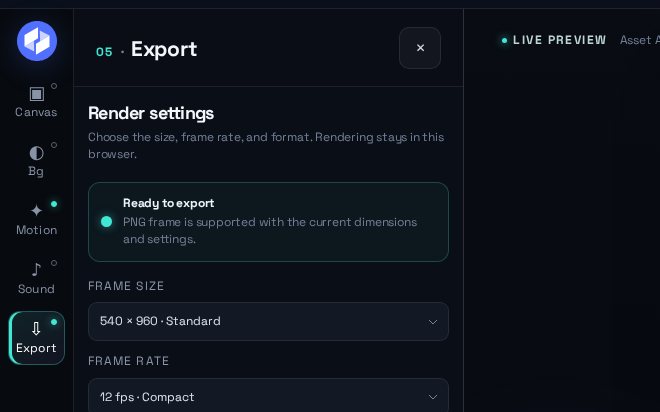
The Export panel reports whether the selected format is ready with the current browser and settings before rendering.
Common problems
- MP4 fills transparent pixels with black; use an opaque designed background or choose another format.
- Frame ZIP has a 180-megapixel export workload limit; lower the dimensions or frame rate if Studio blocks the export.
Common questions
Which format should I choose for a transparent animation?
Choose PNG for one transparent frame, animated WebP for an image-like loop, Frame ZIP for numbered transparent frames, or supported WebM for transparent video.
Which formats can include sound?
Supported WebM and MP4 exports can include the selected sound. PNG, GIF, animated WebP and Frame ZIP are silent.
Which format is best for a website?
Use animated WebP for compact image-like animation, WebM for video playback or sound, and a PNG frame as a static fallback. Test the final file in the actual layout.
Why does an MP4 export show a black background?
DanceLogo MP4 output is opaque, so transparent pixels become black. Design an opaque background or choose a transparency-capable format.