The first few minutes of a project usually decide more than teams admit. Adobe is pushing those opening decisions into AI assistants, thinning the old divide between chat for ideas and design software for actual production.
Adobe has brought tools from Photoshop, Lightroom, Express, and Firefly into Google Gemini. In practical terms, Gemini users can enhance photos, create marketing assets, and customize designs with a prompt. For teams that already move quickly from rough request to usable visual, the change is less about novelty than about where work begins.
The starting point shifts before the app opens
Adobe’s broader bet is clear: people will increasingly start creative work inside an AI assistant instead of inside Creative Cloud apps. The company already supports ChatGPT, Microsoft Copilot, Slack, and Claude, and Gemini now joins that group.
That matters because the opening stage of a project sets direction. If a marketer can begin inside an assistant, ask for image cleanup, request a resized campaign asset, and get a workable draft without switching tools, the early rhythm changes. The assistant stops acting like a side tool and starts acting like the front door.
For designers, that does not erase craft. It changes where craft enters. More of the early assembly work may happen conversationally, while judgment, hierarchy, and polish still depend on someone who can see the difference between a possible layout and a right one.
Brand adaptation is the clearest use case

The most concrete value in the Gemini integration is not abstract image generation. It is adaptation. Adobe positions the setup for creators and marketing teams that need to repurpose existing designs into social media content while preserving original branding and messaging.
That is a familiar pressure inside brand systems. One approved asset has to become six crops, three sizes, and a fresh caption block without losing tone or recognizability. Adobe is aiming these assistant-based tools at that exact production layer, where consistency can fray quickly under deadline pressure.
This also connects to a larger pattern in on-brand automation. A system becomes useful when it protects the parts a team cannot afford to improvise. That is the same pressure behind a scalable brand asset library workflow: fewer random detours, fewer missing files, and cleaner handoffs between strategy and output.
There is a caution inside that convenience. If adaptation gets easier, volume rises. Once a team can produce more variants in less time, visual review needs firmer timing and clearer approval rules. Otherwise, the assistant accelerates drift just as efficiently as it accelerates production.
PDF tasks now sit in the same conversation

Adobe has also expanded its Claude connector to include Acrobat. Users can now work with PDFs without leaving the conversation, including deleting, combining, or splitting pages, redacting sensitive information, and converting or exporting a PDF to another file format.
This sounds administrative until you look at where brand work actually lives. Brand teams spend plenty of time in decks, briefs, approval packets, one-sheets, and formatted documents. Pulling PDF editing into the same conversational space as image and layout tasks removes one more stop in the daily choreography of creative operations.
It also makes the assistant feel less like an image tool and more like a work surface. A single thread can now move from concept adjustments to file prep to document cleanup. For small teams especially, that kind of consolidation can reduce friction more than any single flashy feature.
Layer control marks the line between prompt and design
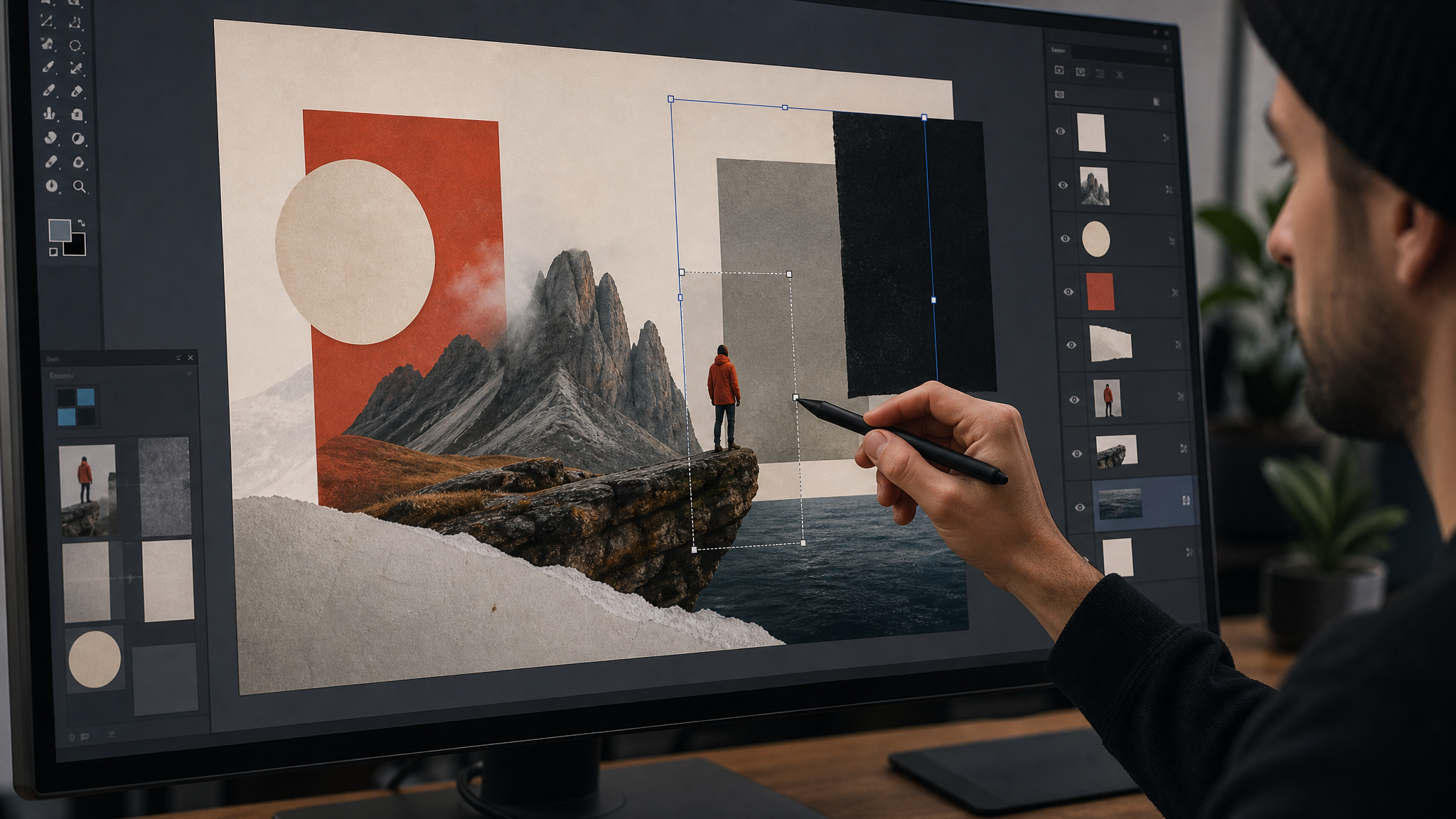
Claude support now includes layer-based editing for Express designs. That detail is easy to miss, but it is one of the more important signals in the update.
Layer control is where convenience starts to become design control. A flat generated composition can help with exploration, but layers let creators adjust elements with finer intent. That means better corrections, cleaner hierarchy shifts, and fewer cases where a team has to rebuild an asset from scratch just to fix one awkward decision.
For anyone managing repeatable branded graphics, this is the point where assistant-driven creation becomes more operationally believable. It also echoes a principle behind integrating AI tools into brand identity design without losing authenticity: speed helps only when the designer can still steer the outcome.
- Prompts get a project moving quickly.
- Brand constraints keep the output recognizable.
- Layer-based editing gives teams a practical way to correct and refine.
Without that third piece, many assistant outputs stay at mockup level. With it, they move closer to production.
One Adobe app inside Claude changes the expectation
Adobe has rebranded its Claude connector from Adobe for Creativity to simply Adobe. It now functions as one universal app that brings Adobe’s creativity and productivity tools into the chatbot.
The naming change is modest, but the product meaning is larger. A universal app suggests that Adobe no longer wants users to think in separate categories first. The company wants the assistant experience to feel continuous: image work, design changes, and document tasks all available through one interface.
That kind of consolidation affects expectations across the industry. Once people get used to handling several stages of a project in one conversational place, they start judging every tool by the same standard. The benchmark is no longer just visual quality. It is how few handoffs a tool requires before a file is ready to use.
Teams may gain speed and inherit new bottlenecks
When the start of a workflow gets easier, the pressure usually moves elsewhere. In this case, likely bottlenecks include asset organization, review discipline, and final file standards.
If more people can generate first-pass marketing assets inside an assistant, teams need clearer rules for source files, naming, approved templates, and export checks. The labor does not disappear. It shifts from making every version manually to curating the system that keeps versions aligned.
These integrations are best understood as workflow changes, not just feature launches. They pull ideation, adaptation, and document handling into one conversational loop. The opportunity is obvious: fewer tool switches and faster first drafts. The responsibility is just as obvious: stronger brand guardrails, better asset libraries, and a sharper eye for when quick output still needs a human finish.
Adobe appears to be designing for a near future where the assistant window is the first workspace a team sees each morning. For visual teams, the question is less whether that shift is coming than how to keep the brand signature intact when the opening moves happen in chat.
 Photo Template
 Photo Template
 Photo Template
 Logo Template