
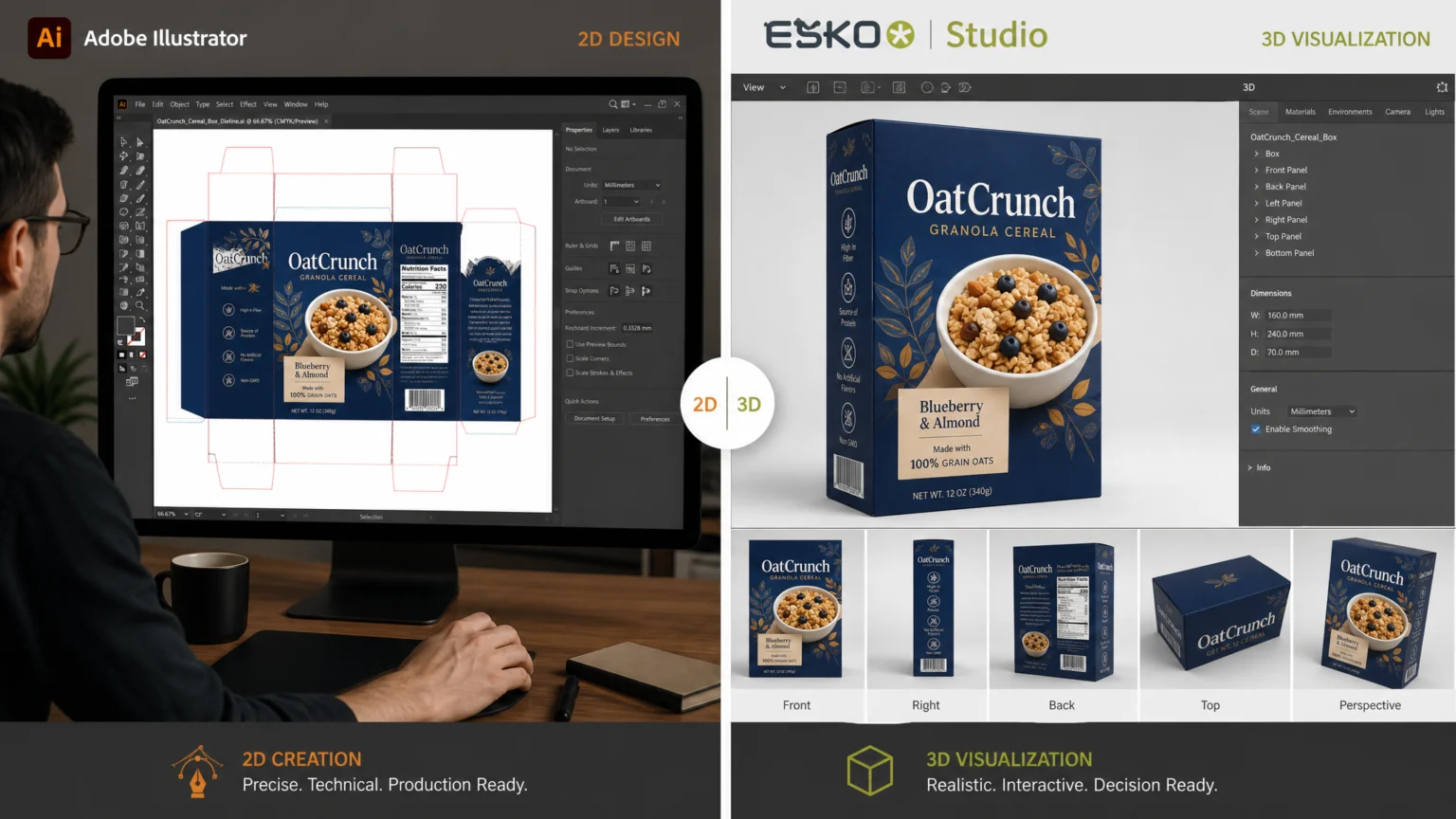
Imagine a new product launch, and the packaging design needs to transition from a flat concept to a stunning 3D visual. The software you choose at this critical juncture can either accelerate the process or introduce frustrating delays. Designers often seek tools that are easy to learn, yet powerful enough to handle the intricate demands of professional packaging, from precise vector artwork to realistic 3D mockups and print-ready files. The real challenge is finding a tool that simplifies the initial design phase but still provides the depth required for a flawless final product that truly stands out on the shelf.
This comparison explores two distinct approaches to packaging design software: the general-purpose vector powerhouse, Adobe Illustrator, and the specialized 3D packaging solution, Esko Studio. We’ll examine how each addresses the core needs of packaging professionals, focusing on user experience, vector editing, 3D visualization, and integration into the broader production workflow. Understanding these differences helps you make an informed decision for your specific design challenges.
Adobe Illustrator: The Versatile Vector Foundation
Adobe Illustrator stands as an industry standard for creating vector artwork, a fundamental requirement for packaging design. Its strength lies in its comprehensive suite of drawing tools, allowing designers to craft precise dielines, intricate graphics, and detailed typography directly on a 2D canvas. This versatility makes it a go-to for many designers, especially those already familiar with the broader Adobe Creative Cloud ecosystem. For packaging, Illustrator is used to create the core artwork that will eventually wrap around a product. This includes everything from brand logos and product information to decorative elements and legal text. The software’s robust vector capabilities ensure that designs remain crisp and scalable, regardless of the final print size, which is critical for packaging that might appear on anything from a small sachet to a large display box. For a documented checkpoint, compare this step with Adobe Illustrator – Vector Graphics Software.
Ease of Use and Familiarity
For many designers, Illustrator offers a familiar interface, reducing the learning curve if they have experience with other Adobe products. Its extensive tutorials and community support also make it accessible for those new to professional vector graphics. The process of creating packaging artwork often starts with a flat dieline, which can be easily drawn and manipulated within Illustrator’s environment. This direct approach to 2D artwork creation is intuitive for designers accustomed to traditional graphic design workflows. However, while Illustrator excels at 2D artwork, generating realistic 3D packaging mockups directly within the application can be more involved. While it offers some 3D effects, these are generally less specialized for packaging than dedicated solutions. Designers often rely on manual perspective adjustments or third-party plugins to achieve convincing 3D visualizations, which can add steps and complexity to the mockup process.
Esko Studio: Specialized 3D Packaging Workflow
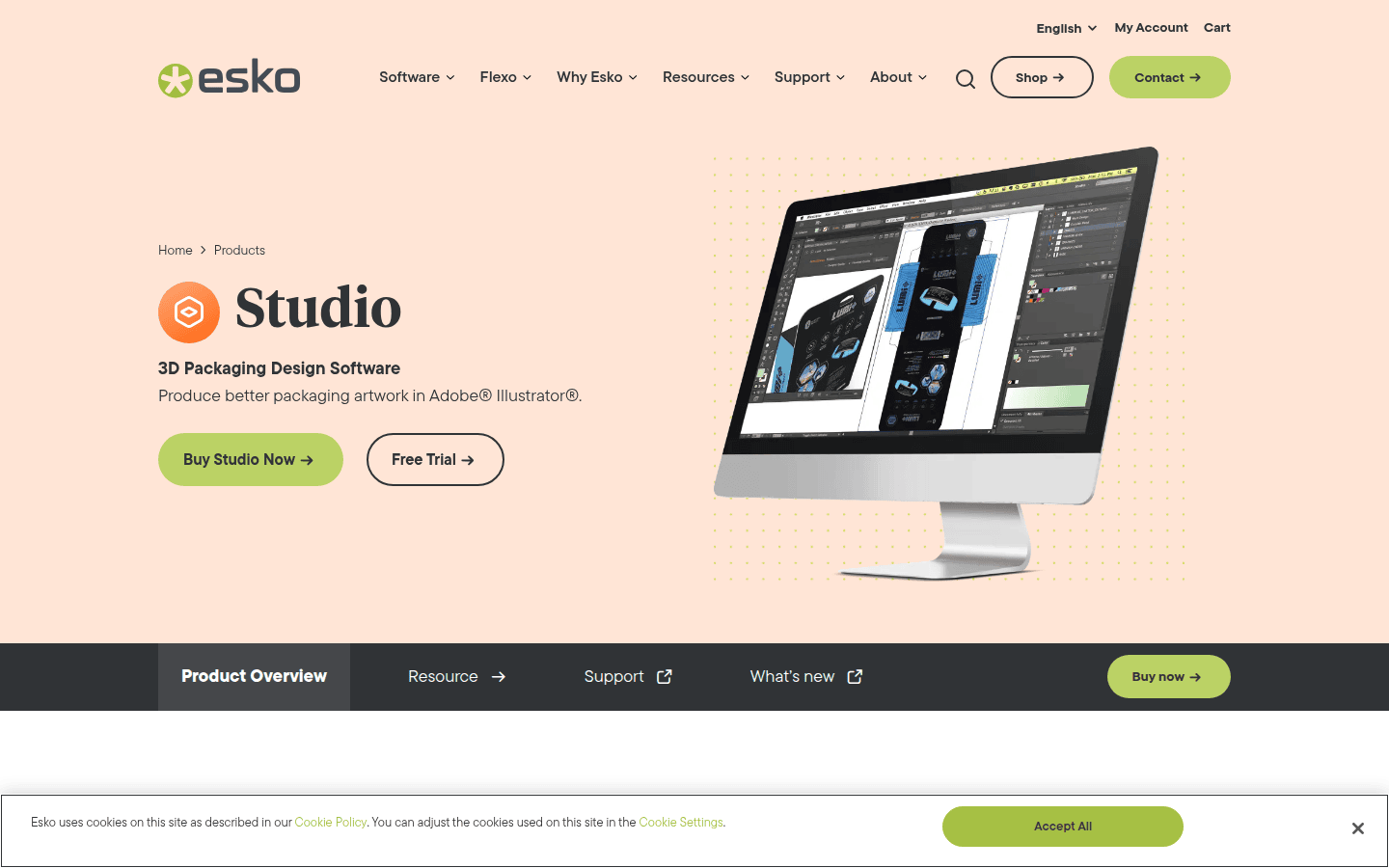
Esko Studio is purpose-built 3D packaging design software, specifically tailored for professionals in packaging artwork and 3D workflows. Its core strength lies in its ability to handle complex packaging structures and provide realistic 3D previews and mockups. Studio integrates directly with Adobe Illustrator, allowing designers to create their 2D artwork in Illustrator and then seamlessly apply it to a 3D packaging shape within Studio. The workflow in Esko Studio typically involves three key stages: creating the packaging shape, applying the artwork, and then presenting the final result. This dedicated approach simplifies the transition from 2D artwork to 3D visualization, making it easier to inspect details and export realistic virtual mockups for client presentations or internal reviews. Evaluating product mockups for honest scale and perspective becomes more straightforward when the software handles the underlying 3D structure accurately.
Professional Features and Prepress Integration
Studio’s specialized features extend beyond basic 3D visualization. It supports a comprehensive 3D packaging workflow, which is crucial for prepress and production. This includes tools for structural design, virtual prototyping, and quality control, ensuring that the final printed package accurately reflects the design intent. For instance, Studio can simulate various printing effects and materials, giving designers a precise understanding of how their artwork will appear on the physical package. The integration with Adobe Illustrator is a significant advantage. Designers can leverage Illustrator’s powerful vector editing capabilities for artwork creation, then use Studio to visualize that artwork in 3D, inspect it from all angles, and even create animations or interactive presentations. This combination allows for a highly efficient workflow where the strengths of both applications are utilized, bridging the gap between graphic design and structural packaging engineering. Another useful checkpoint is See what you can create with Illustrator.
Comparing Core Capabilities: Illustrator vs. Studio
When choosing between these two solutions, consider their core strengths and how they align with your specific packaging design needs. Each offers distinct advantages depending on your project requirements and existing workflow.
User Interface Complexity
Adobe Illustrator’s interface is broadly familiar to graphic designers, making it relatively easy to pick up for those with prior design software experience. Its tools are general-purpose, covering a wide array of vector graphics tasks. Esko Studio, while integrating with Illustrator, introduces a specialized 3D environment. This means a new set of tools and concepts to learn, particularly around structural design and 3D manipulation. While powerful, it requires a commitment to understanding packaging-specific 3D workflows. Designers new to 3D modeling may find Studio’s initial learning curve steeper, but the specialized features often justify the investment for dedicated packaging professionals.
Vector Editing for Packaging Artwork
Both tools rely on Adobe Illustrator for the primary creation of 2D vector artwork. Illustrator is the undisputed industry standard here, offering unparalleled control over paths, shapes, text, and colors. Studio complements this by taking that finished 2D artwork and accurately mapping it onto a 3D structural model. This division of labor means designers get the best of both worlds: Illustrator for detailed graphic creation and Studio for precise 3D application and visualization. This workflow ensures that the intricate details of your brand’s visual identity are perfectly translated from 2D concept to 3D reality.
3D Packaging Preview and Mockups
This is where Esko Studio truly shines. It is designed specifically for creating realistic 3D packaging mockups, allowing designers to preview their artwork on complex shapes, simulate materials, and visualize how the final product will look on a shelf. Studio can export these mockups as high-quality images or even short movies. While Illustrator can create basic 3D effects, it lacks the dedicated structural design tools and advanced rendering capabilities that Studio offers for packaging-specific visualization. For designers who frequently need to present realistic packaging concepts, Studio provides a more robust and efficient solution. For example, imagine designing a complex carton with multiple folds and flaps. In Illustrator, creating a convincing 3D representation would involve manual transformations and careful alignment, often requiring significant time and expertise. In Esko Studio, you would import a structural dieline, and the software would automatically fold it into a 3D object, allowing you to wrap your Illustrator artwork around it with precision and immediately see the result from any angle. This streamlined process helps generate high-quality mockups for brand presentations more efficiently.
Print/Export Workflow for Production Handoff
Both tools contribute to a production-ready workflow. Illustrator generates the vector files essential for print. Esko Studio enhances this by providing a comprehensive understanding of how that artwork will interact with the physical structure, offering tools for prepress checks and ensuring print accuracy. Studio’s ability to create virtual prototypes helps identify potential issues before physical production, saving time and resources. The combination ensures that the design not only looks good but is also technically sound for manufacturing. This integrated approach minimizes errors and streamlines communication between design and production teams.
Integration with Packaging-Specific Dieline or Structural Design Workflows
Esko Studio is inherently built for packaging-specific workflows, including integration with structural design. It can take dielines and structural data and transform them into 3D models. Illustrator, while capable of creating dielines, is primarily a graphic design tool and doesn’t offer the same level of integrated structural design and 3D folding capabilities. For designers working closely with structural engineers or needing to validate designs against precise structural specifications, Studio provides a more integrated and specialized solution. This deep integration is particularly valuable for complex packaging projects where structural integrity and visual appeal must go hand-in-hand.
Making Your Decision
The choice between Adobe Illustrator and Esko Studio for packaging design hinges on your primary needs and workflow. If your work primarily involves 2D graphic design for packaging, and 3D visualization is an occasional or less critical requirement, Adobe Illustrator offers a powerful and versatile platform. It’s an excellent choice for creating high-quality vector artwork that forms the foundation of any package. Its broad capabilities make it suitable for a wide range of graphic design tasks beyond just packaging, offering flexibility for designers who work across multiple disciplines.
However, if your workflow demands frequent and realistic 3D packaging mockups, structural design integration, and a streamlined prepress process, Esko Studio provides a specialized advantage. Its seamless integration with Illustrator means you don’t sacrifice the industry-standard vector tools, but gain a dedicated environment for visualizing and validating your packaging in three dimensions. For professionals where the accurate representation of the final physical product is paramount, Studio offers the depth and precision needed to move from concept to confident production. Consider your team’s expertise, project complexity, and the importance of 3D visualization in your client presentations to determine which software best supports your packaging design goals. For further exploration of packaging design principles, consider resources like Packaging Strategies or Packaging Digest for industry insights and trends.
 Icon Template
 Photo Template
 Icon Template
 Icon Template